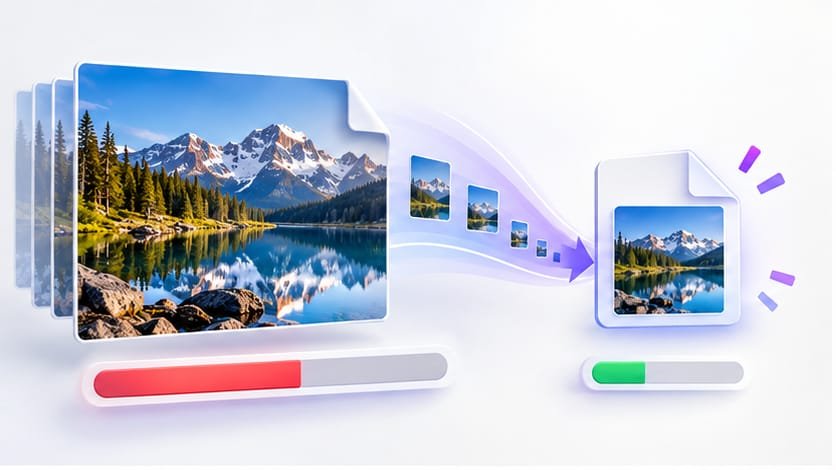
Almost every government job portal, university admission system and visa application form enforces a strict file-size limit: photo and signature must be between 20KB and 100KB. Upload a normal phone photo – usually 2–5MB – and the form rejects it instantly. If you are stuck at that screen, this guide solves it for good.
Why Online Forms Demand Such Tiny File Sizes
Form portals process thousands of uploads a day. Large images slow their servers, fill their storage and make verification harder. So they enforce hard KB limits – and their system does not care that your camera shoots 12MP photos by default. The limit is on file size in kilobytes, not on image quality, so the trick is to re-encode your photo so it fits the budget while still looking sharp.
The Fastest Method: A Photo KB Size Reducer (2 Minutes)
This is the method we recommend to everyone, because it removes all guesswork. A KB-targeted tool compresses your photo to an exact size automatically:
- Step 1: Open our free image size reducer in KB.
- Step 2: Type your limit (20, 50 or 100) into the target box – or tap one of the quick preset buttons.
- Step 3: Upload your photo and click Compress Now.
- Step 4: Download the result. The tool shows the exact before-and-after KB, so you can verify it passes the form’s limit before uploading.
The reducer first tries the highest JPEG quality that fits under your KB target. Only if the photo physically cannot fit does it shrink the dimensions – stopping the moment your file is inside the limit. That is exactly how a professional would do it manually, except it happens in seconds.
Compress your photo to an exact KB target now
20KB, 50KB, 100KB – any limit, any format, free and instant.
Reduce Image Size in KBManual Methods (If You Prefer Doing It Yourself)
If you would rather compress the photo on your own computer, these are the honest options:
Photoshop / GIMP export
Use Export As > JPEG and drag the quality slider down until the previewed file size is under your limit. Then use Image > Image Size to reduce width to roughly 300px if quality alone is not enough. Works, but trial-and-error takes several minutes.
Windows Paint
Open the photo, use Resize > Pixels to shrink it to about 300px wide, then Save As > JPEG. Paint gives no file-size preview, so you may need several attempts to hit 20KB.
Phone apps
Free compressor apps exist for Android and iPhone, but most show ads, add watermarks on some files, and rarely let you set an exact KB target. A browser tool does the same job without installing anything – open the photo KB size reducer on your phone and you are done.
What to Expect at 20KB (Quality Reference)
A 20KB photo is small, but for form thumbnails it is exactly what the portal wants. This table shows typical uses:
| Target | Typical use | Recommended width |
|---|---|---|
| 20KB | Exam board photos & signatures | 200–300px |
| 50KB | University admission forms | 400–600px |
| 100KB | Job applications & documents | 600–800px |
| 200KB+ | Certificates & mark sheets | 800–1000px |
Pro Tips for Exam Photos and Signatures
- Crop first, compress second. A tight passport-style crop leaves fewer pixels to store, so quality stays higher at 20KB.
- Save as JPG. JPG reaches tiny KB targets with far better visible quality than PNG. Reserve PNG only when the form explicitly demands it or transparency is required.
- Match the form’s exact limit. If the portal says "20KB to 50KB", a 12KB file can be rejected just like a 60KB one. Set the target near the middle of the allowed range.
- Keep a copy of the original. Compression for forms is destructive; you may need a higher-quality version later.
Frequently Asked Questions
Why won't my photo go under 20KB?
A photo that is 4000 pixels wide cannot fit in 20KB no matter how hard you compress it. The file must also be small in dimensions. A KB-targeted reducer handles both automatically: it lowers JPEG quality first, then gently shrinks the width until your file fits under the exact KB limit.
What dimensions should a 20KB photo be?
For a 20KB target, aim for roughly 200-400 pixels wide for a passport-style photo. For a signature image, 140x60 pixels at 72 DPI is usually enough. If the form requires "20KB to 50KB", staying in that range is simple with a picture size reducer in KB mode.
Will compressing to 20KB make my photo invalid?
No, as long as the face/document is still clearly visible. Official portals check file size and format (JPG/PNG), not pixel-level detail. Our reducer always uses the highest possible quality that fits under your KB target.